AppList

Found an app? Save it.

AppList keeps the apps you find, sums each one up in a sentence and tells you what recent reviews say.

Join the beta See the app Beta on TestFlight, for iPhone, iPhone Duo and iPad.

Before: a note called Apps to try, a chat message about Trap Raider with an App Store link, a camera roll of forgotten screenshots and 38 open tabs. After: Trap Raider saved in the AppList Wishlist, with its store screenshots, a one-sentence summary, two highlights, the status Want to try and tags.

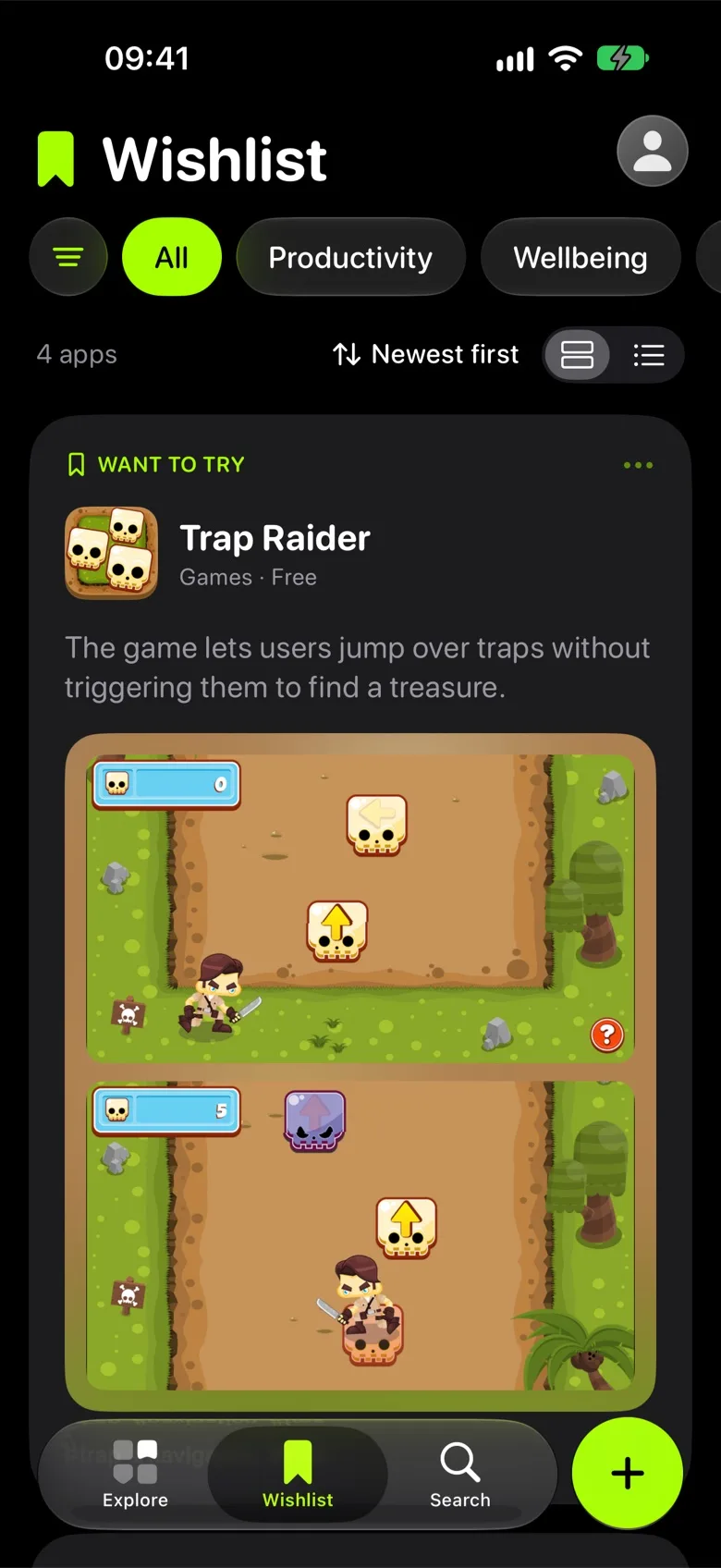
After
The AppList Wishlist on iPhone, as cards, four apps, newest first. On top, Trap Raider's card: the status Want to try, Games, Free, the summary The game lets users jump over traps without triggering them to find a treasure, and two of the game's landscape store screenshots.
The apps on the iPhone screens are real, and their summaries, tags and review insights were written on the device. The iPhone Duo and iPad screens show sample data.
Share, paste or search

Save from anywhere.

On an app's App Store page, tap Share and choose AppList. Or stay in AppList and paste a link or search by name. It saves the App Store entry, not the app itself, so there is nothing to install.
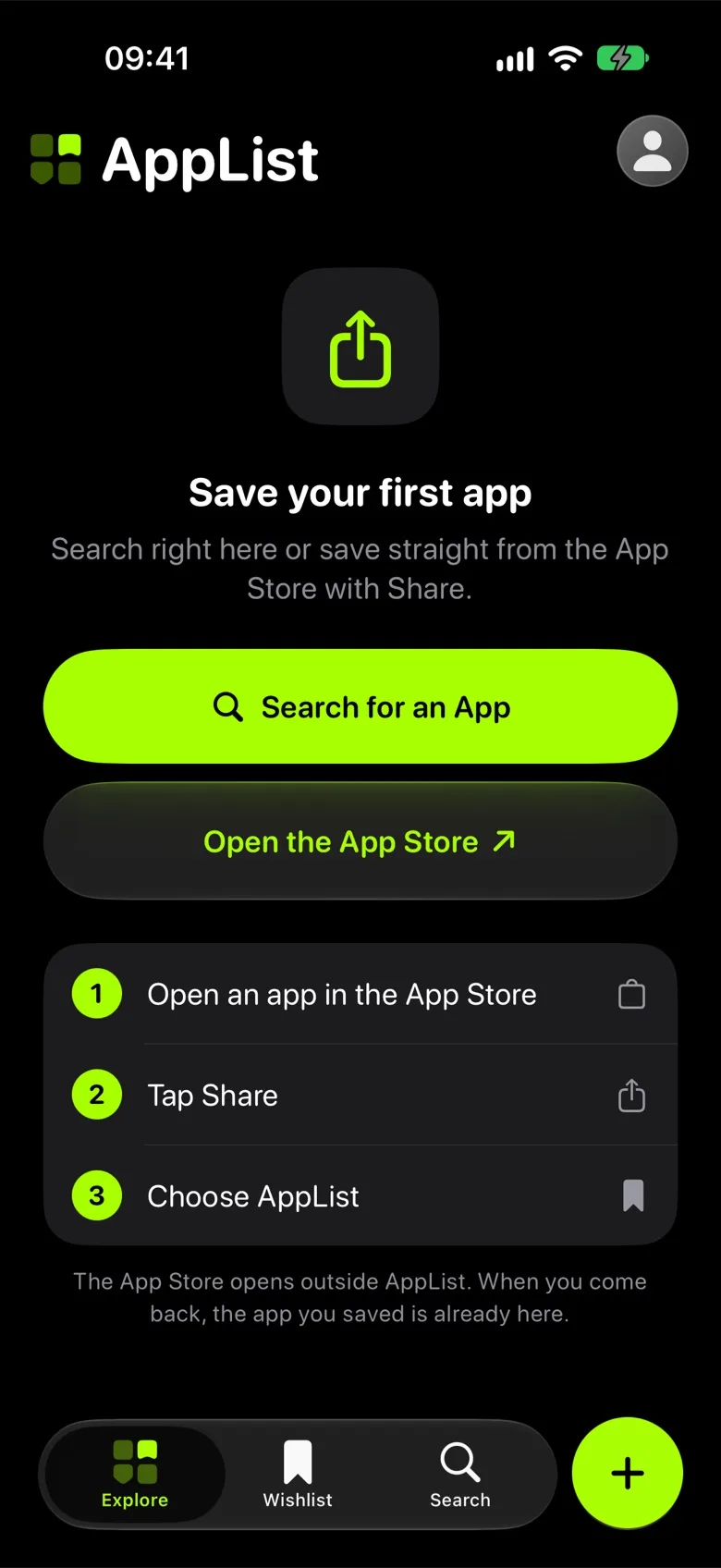
Explore on iPhone with nothing saved yet. Save your first app: the buttons Search for an App and Open the App Store, then three steps. Open an app in the App Store, tap Share, choose AppList.

Also on iPhone DuoOpen, the list sits beside the app's detail.
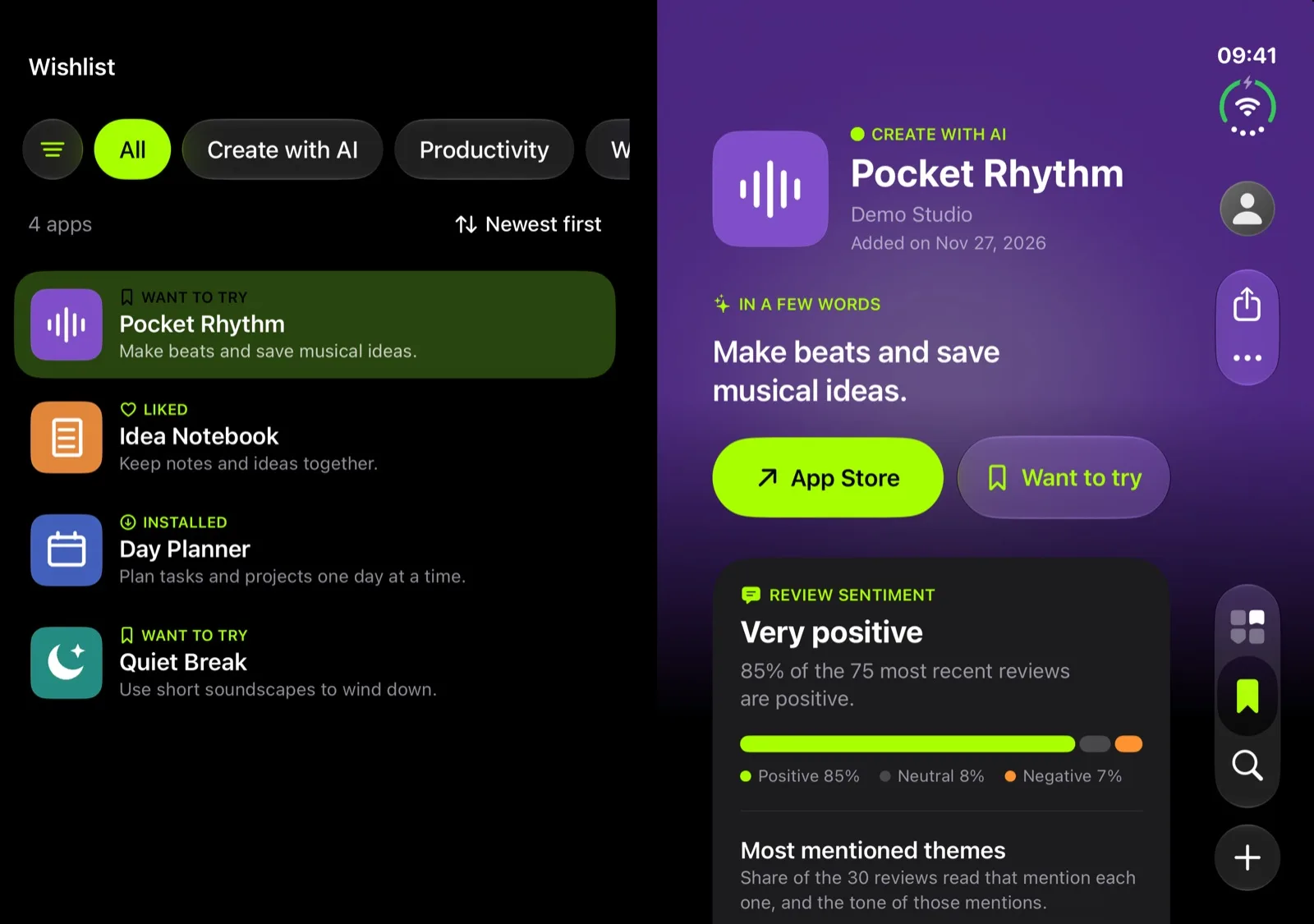
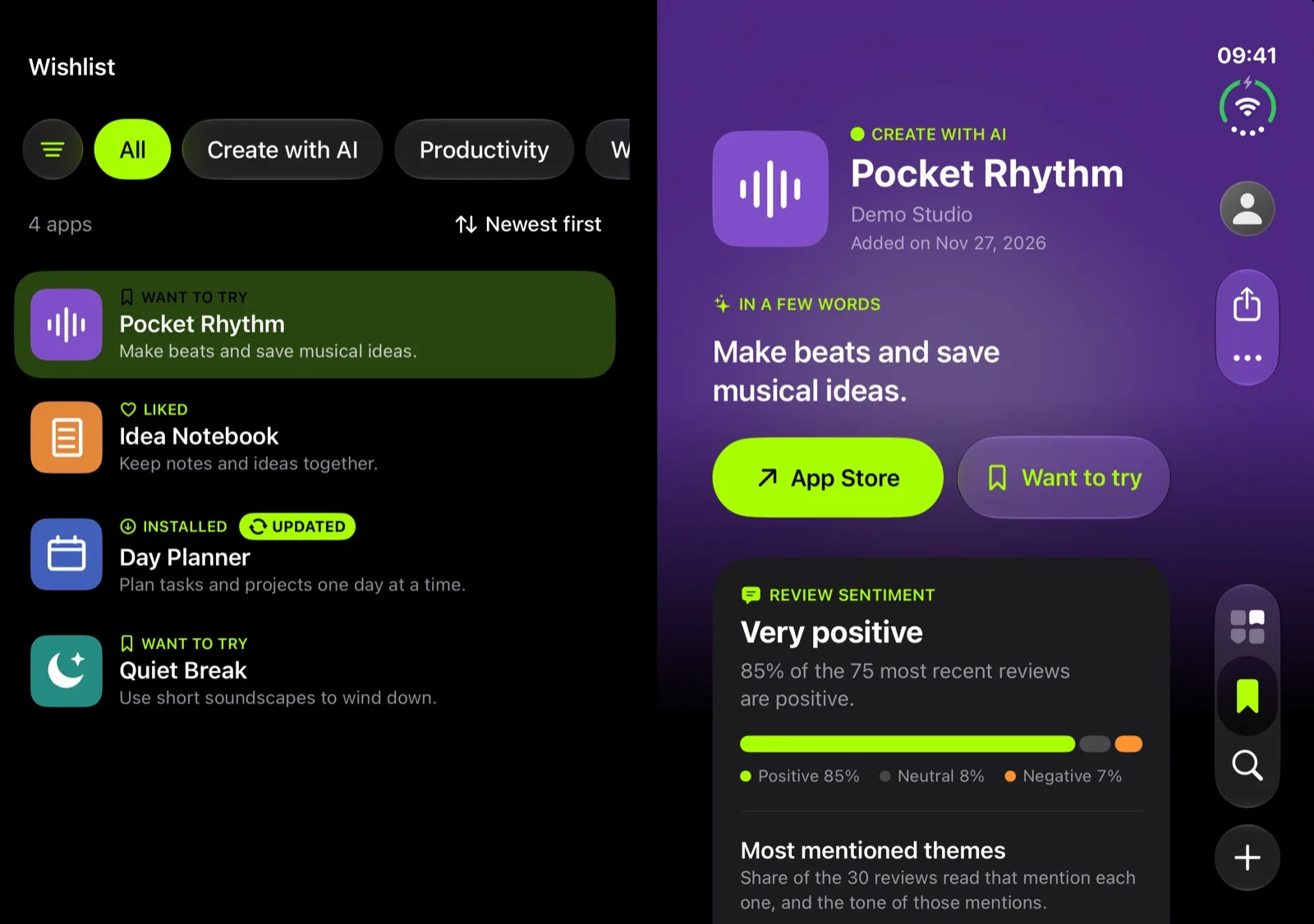
AppList on an open iPhone Duo: the Wishlist with four saved apps on the left half and, on the right half, Pocket Rhythm's page with its summary and review sentiment.
In a few words

It reads the app for you.

For every app you save, AppList writes a short summary: what it does and who it is for. It also picks a category and tags. All of it is written on your device.

With Apple Intelligence Generated on your device, no AI servers.

Summaries and review insights need Apple Intelligence available and turned on.

Before: the start of Trap Raider's App Store description, which runs to 801 characters. After: one sentence, The game lets users jump over traps without triggering them to find a treasure, with two highlights, the category Games and three tags.
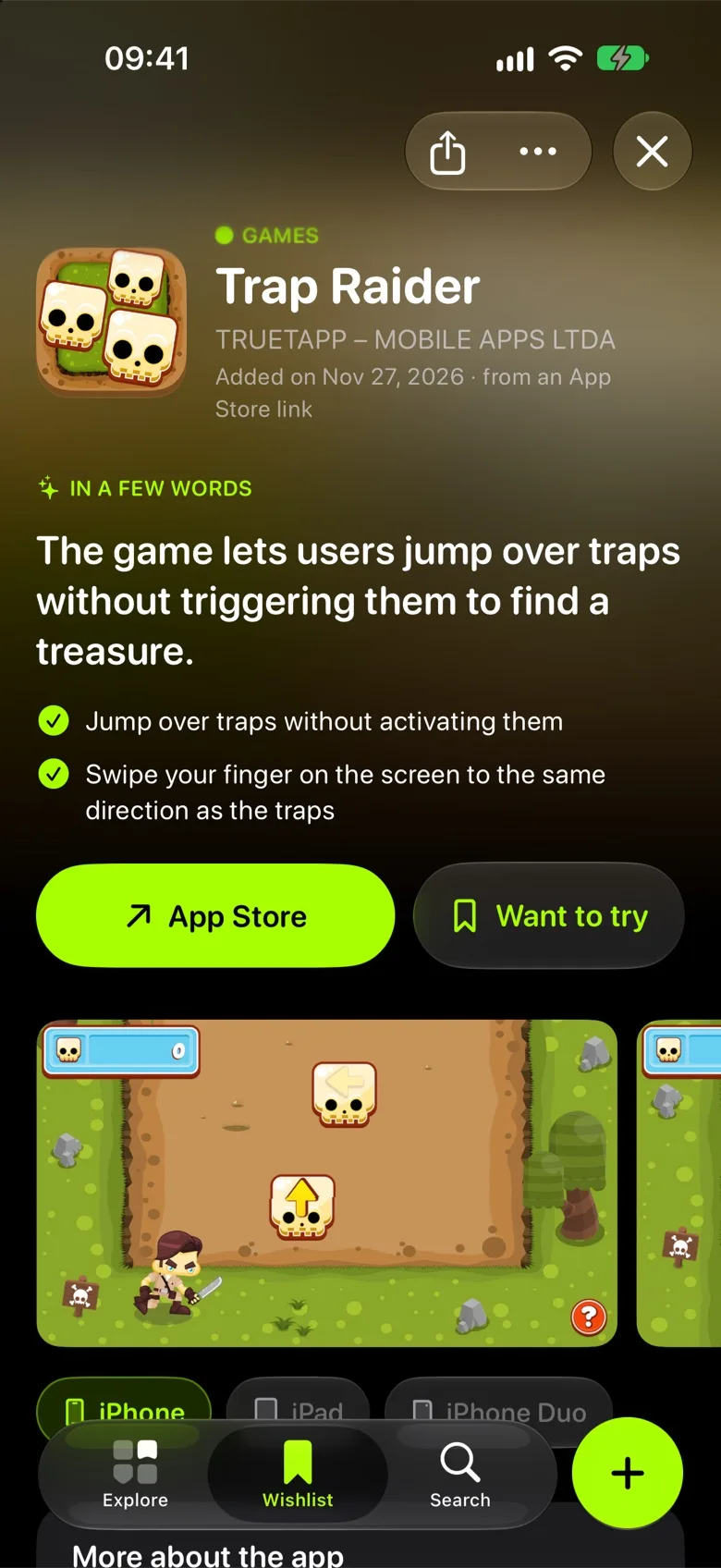
Trap Raider's page in AppList on iPhone, with a warm wash of colour from its icon: Games, the developer, then, under In a few words, the summary The game lets users jump over traps without triggering them to find a treasure, two check-marked highlights, an App Store button, the status Want to try and the game's store screenshots.
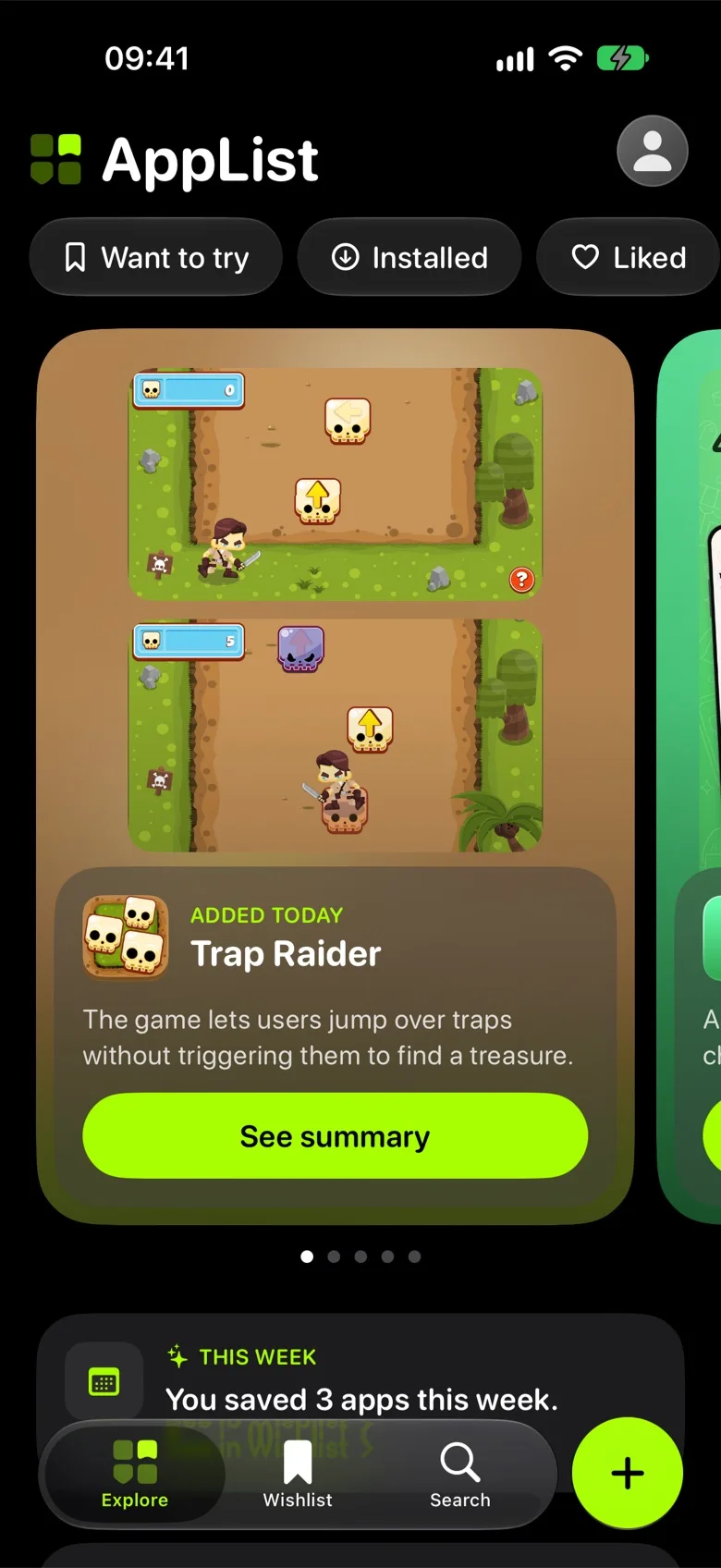
The Explore tab on iPhone. A large highlight card for Trap Raider, added today: two of the game's landscape store screenshots, its icon and name, the summary The game lets users jump over traps without triggering them to find a treasure, and a See summary button. Under it, this week's insight: You saved 3 apps this week.
Review sentiment

Reviews, straight to the point.

AppList reads a sample of up to 100 written reviews from the last 12 months. You get the share of positive, neutral and negative reviews, the most mentioned themes, and what people praise and complain about.

It is not the App Store's lifetime star average.

Pictured: Waterllama, by Llama Luna Apps, from its reviews on the US App Store on Nov 27, 2026.

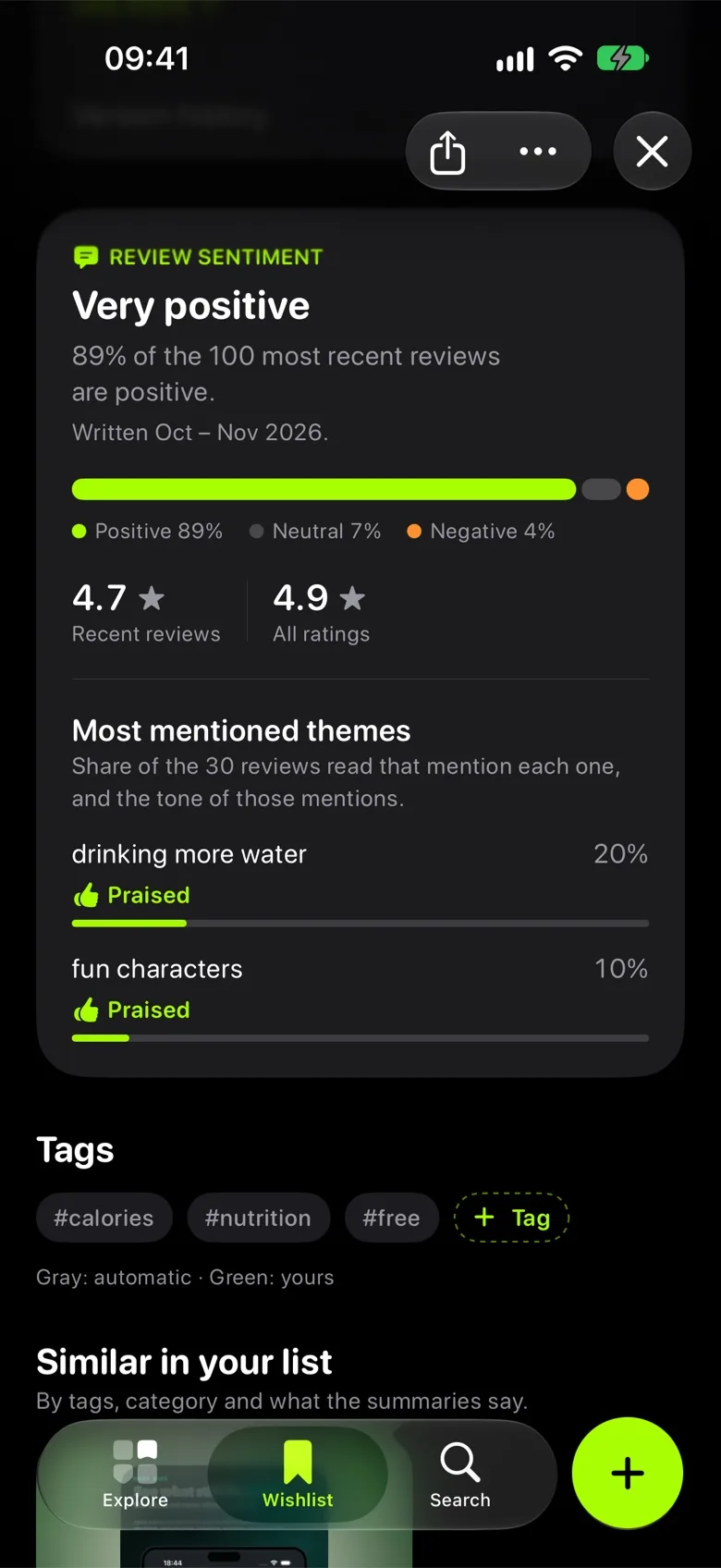
Before: 165,473 ratings on the US App Store and a pile of unread reviews. After: one card for Waterllama. Very positive: 89% of the 100 most recent reviews are positive. Most mentioned themes, as a share of the 30 reviews read: drinking more water, praised, 20%, and fun characters, praised, 10%.

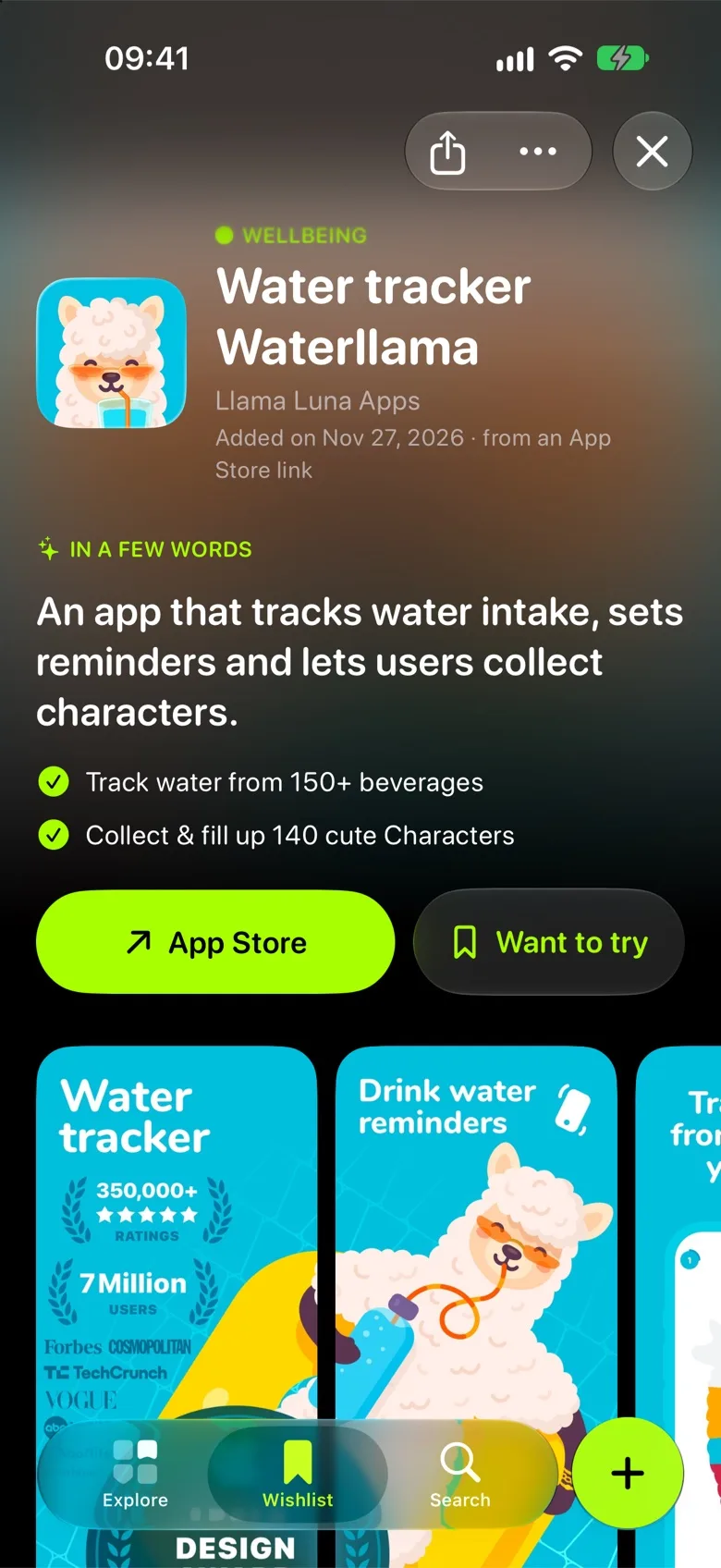
Waterllama's page in AppList on iPhone, with a soft wash of colour from its icon: Wellbeing, Water tracker Waterllama, by Llama Luna Apps, then, under In a few words, the summary An app that tracks water intake, sets reminders and lets users collect characters, two check-marked highlights, an App Store button, the status Want to try and the app's store screenshots.
Review sentiment for Waterllama on iPhone: Very positive. 89% of the 100 most recent reviews are positive, written October to November 2026. A bar with 89% positive, 7% neutral and 4% negative; 4.7 stars in recent reviews against 4.9 for all ratings; the most mentioned themes, as a share of the 30 reviews read, drinking more water, praised, 20%, and fun characters, praised, 10%; then the tags #calories, #nutrition and #free.
Categories, tags, status

Organized the way you think.

Every app lands in a category, with tags, automatically. Add your own tags, a note and a status. Then filter the Wishlist with the category pills, as cards or as a compact list.

  • Want to try
  • Installed
  • Liked
  • Not for me
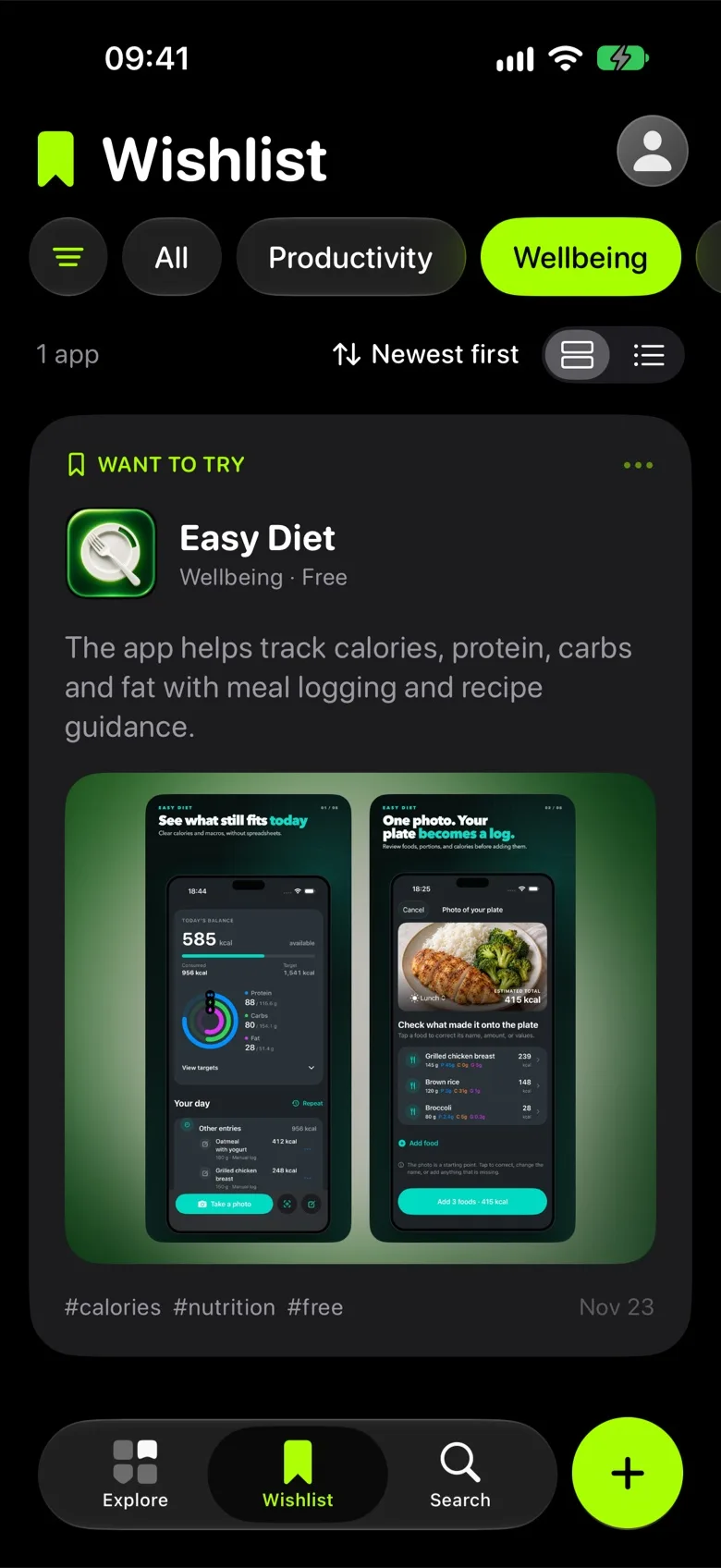
The Wishlist filtered by the Wellbeing category, its pill lit in lime: one app, Easy Diet, as a card marked Want to try, with its summary, two of its App Store screenshots and the tags #calories, #nutrition and #free.
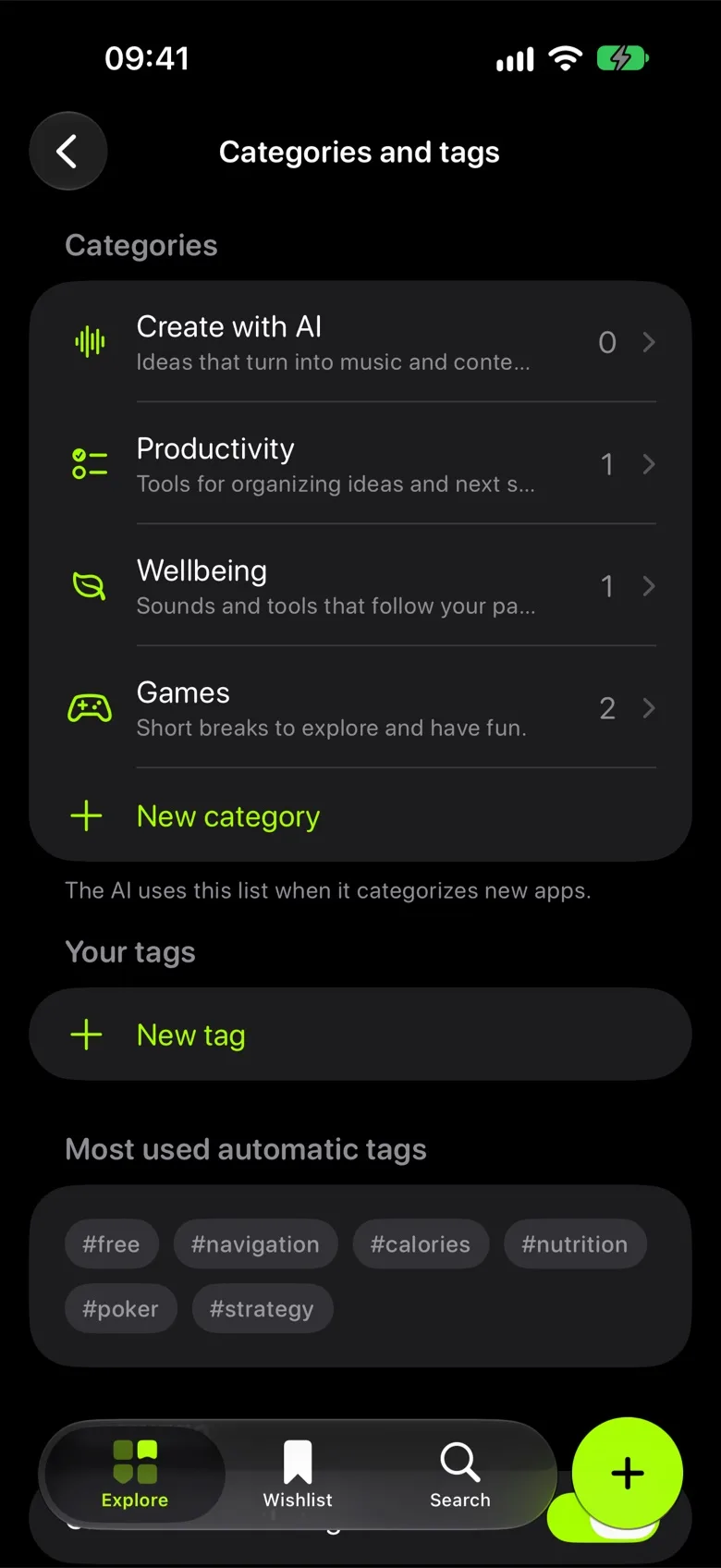
Categories and tags in AppList. Categories: Create with AI with no apps, Productivity 1, Wellbeing 1, Games 2, and New category. Then your own tags, with New tag, and the most used automatic tags: #free, #navigation, #calories, #nutrition, #poker and #strategy.
Updated

It keeps up.

Once a day AppList checks whether a saved app got a new version, and marks it Updated until you open it. If you leave before a summary is finished, a notification can tell you when it is ready.

  • Updated
  • Summary ready

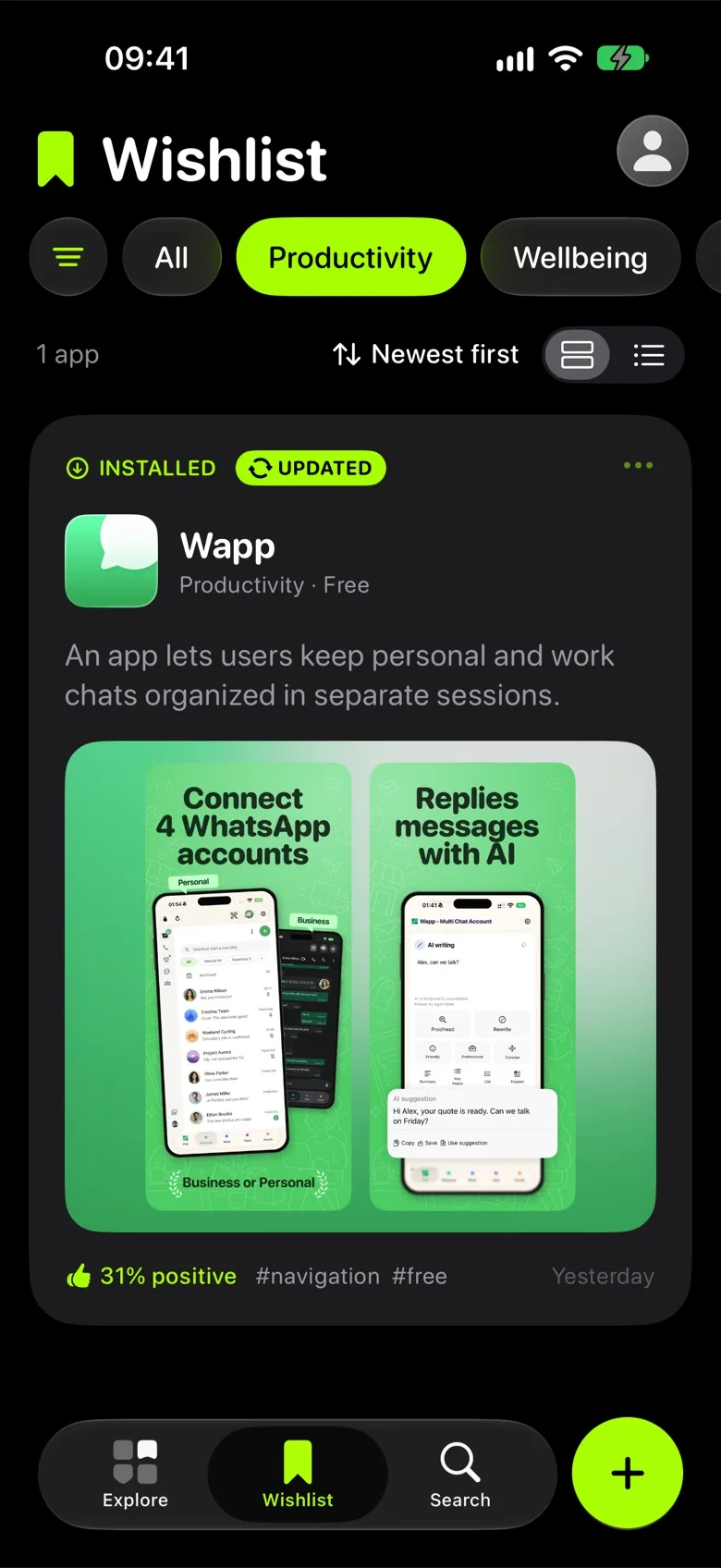
Pictured: Wapp, marked Updated in the Wishlist, as a compact list and as a card.
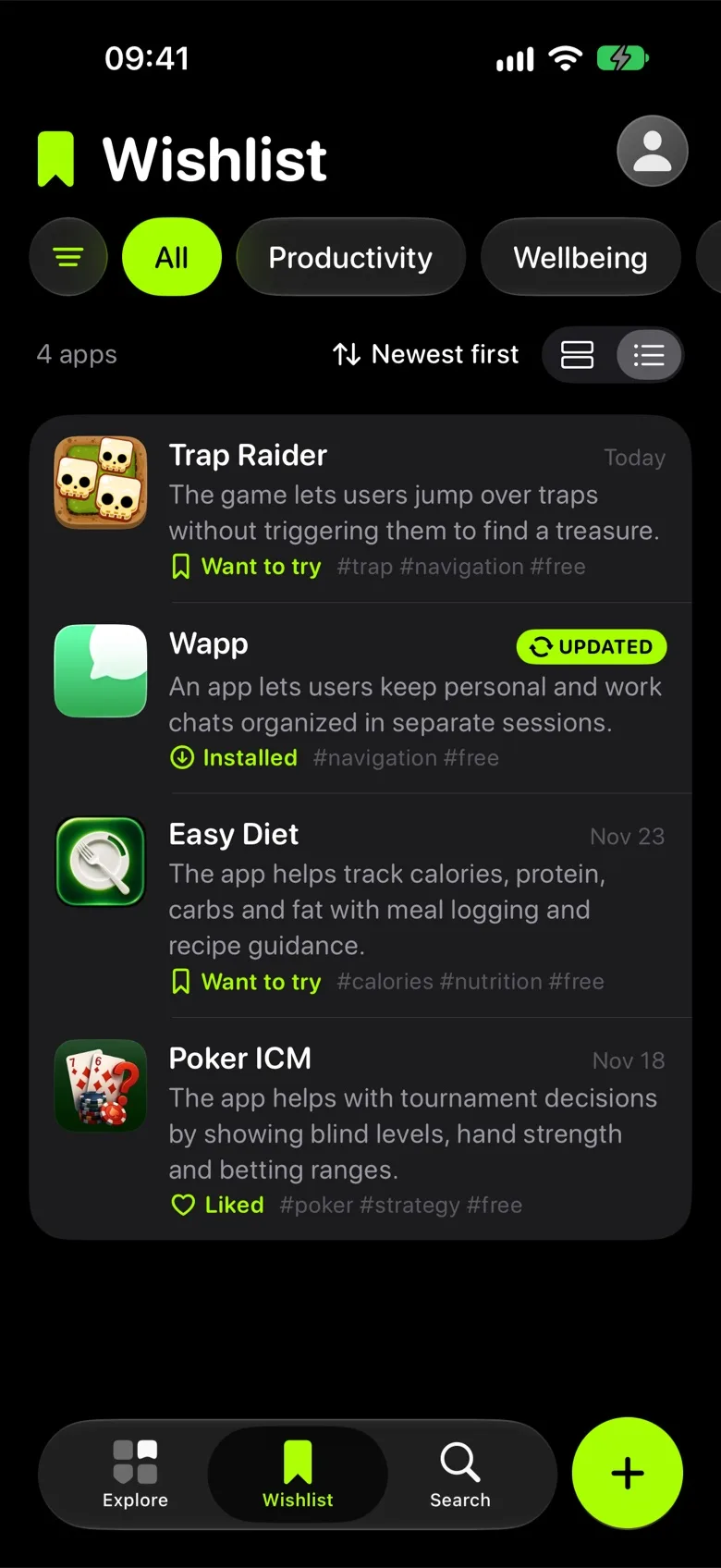
The Wishlist as a compact list of four apps: Trap Raider, Wapp, Easy Diet and Poker ICM, each with its summary, status and tags. Wapp carries a lime Updated badge where the others show the day they were added.
The Wishlist filtered by Productivity: Wapp as a card marked Installed with a lime Updated badge beside it, its summary, two of its App Store screenshots, 31% positive and the tags #navigation and #free.
This week

Explore your own list.

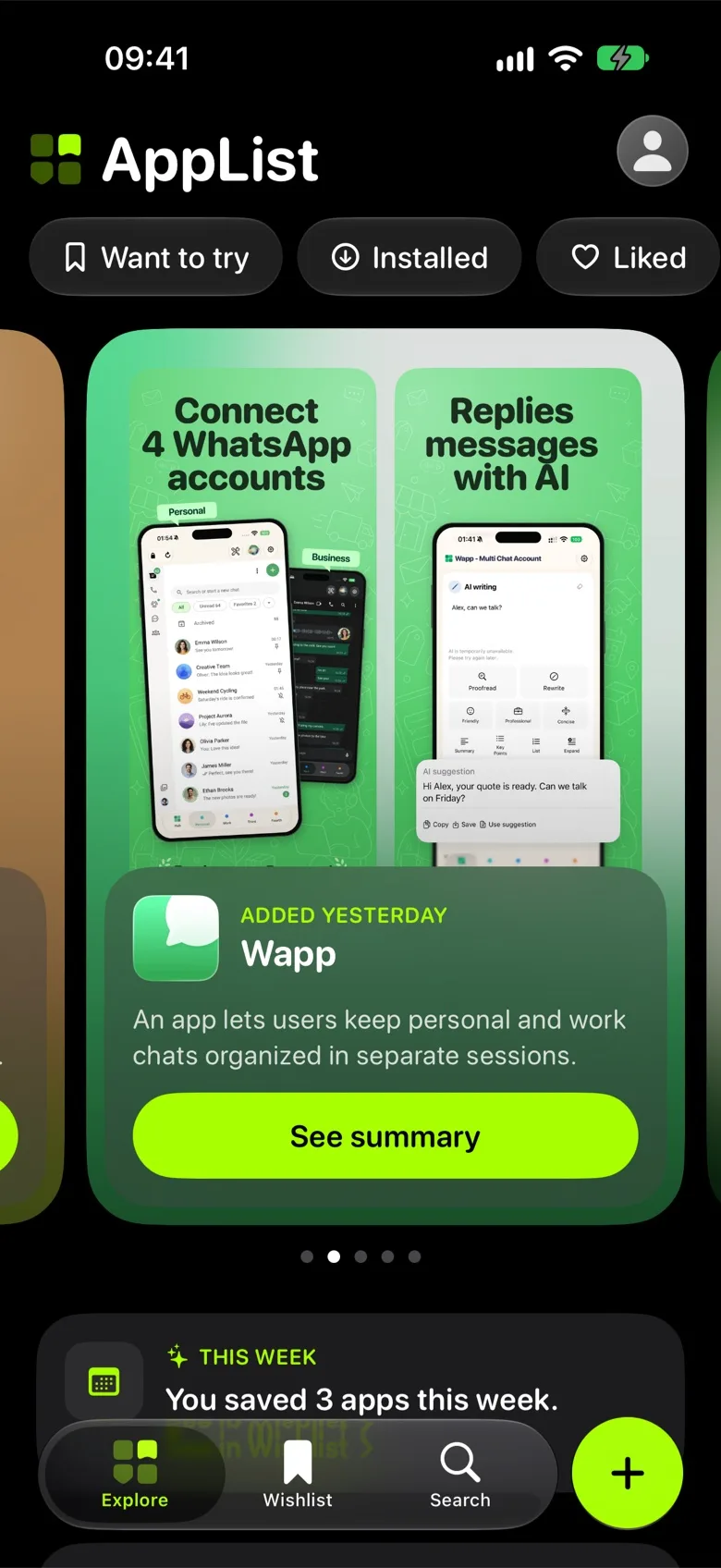
Explore opens on your newest saves and a weekly insight. Further down are your categories, the best rated apps in your list and your most used tags. Profile adds the numbers about your list.
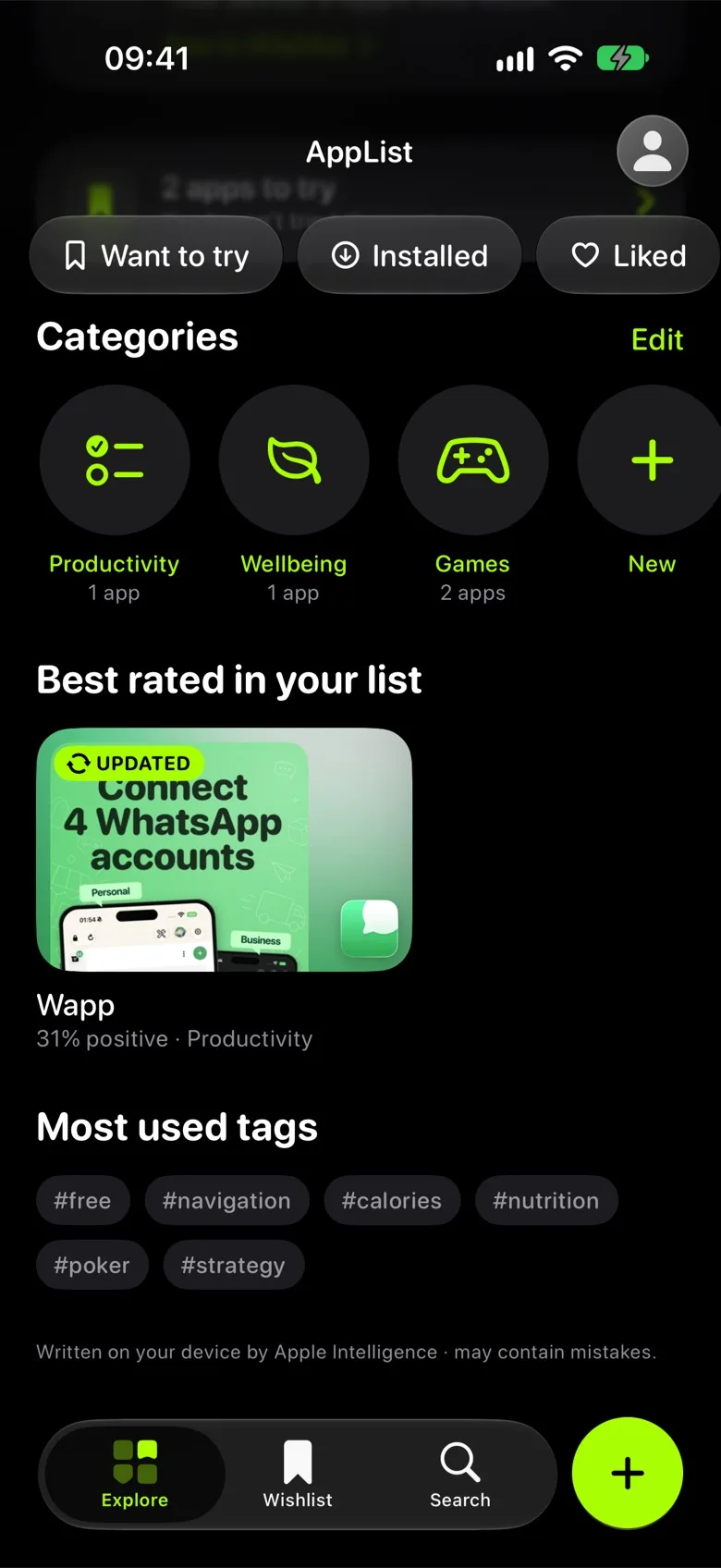
Explore further down: Categories, with Productivity 1 app, Wellbeing 1 app and Games 2 apps; Best rated in your list, with Wapp, 31% positive, carrying an Updated badge; Most used tags; and the line Written on your device by Apple Intelligence, may contain mistakes.
The Explore tab: the status pills Want to try, Installed and Liked, a large highlight card for Wapp, added yesterday, with two of its store screenshots, its summary and a See summary button, and this week's insight: You saved 3 apps this week.
On your device

Yours, and only yours.

There is no AppList account and nothing to sign in to. Your list lives on your device, and the summaries and review insights are written there too.

  • No account, no sign-in. Open the app and start saving.
  • Written on the device with Apple Intelligence, when it is available and turned on.
  • iCloud sync can be turned off and uses the iCloud account already on your device.
  • Find a saved app from Spotlight, without opening AppList.

One list, every screen.

AppList is made for iPhone, iPhone Duo and iPad. Where there is room, the list and an app's page sit side by side, so you can go through what you saved without going back and forth.
The Wishlist on iPhone, as cards, four apps, newest first. On top, Trap Raider's card: the status Want to try, Games, Free, its one-sentence summary and two of the game's landscape store screenshots.
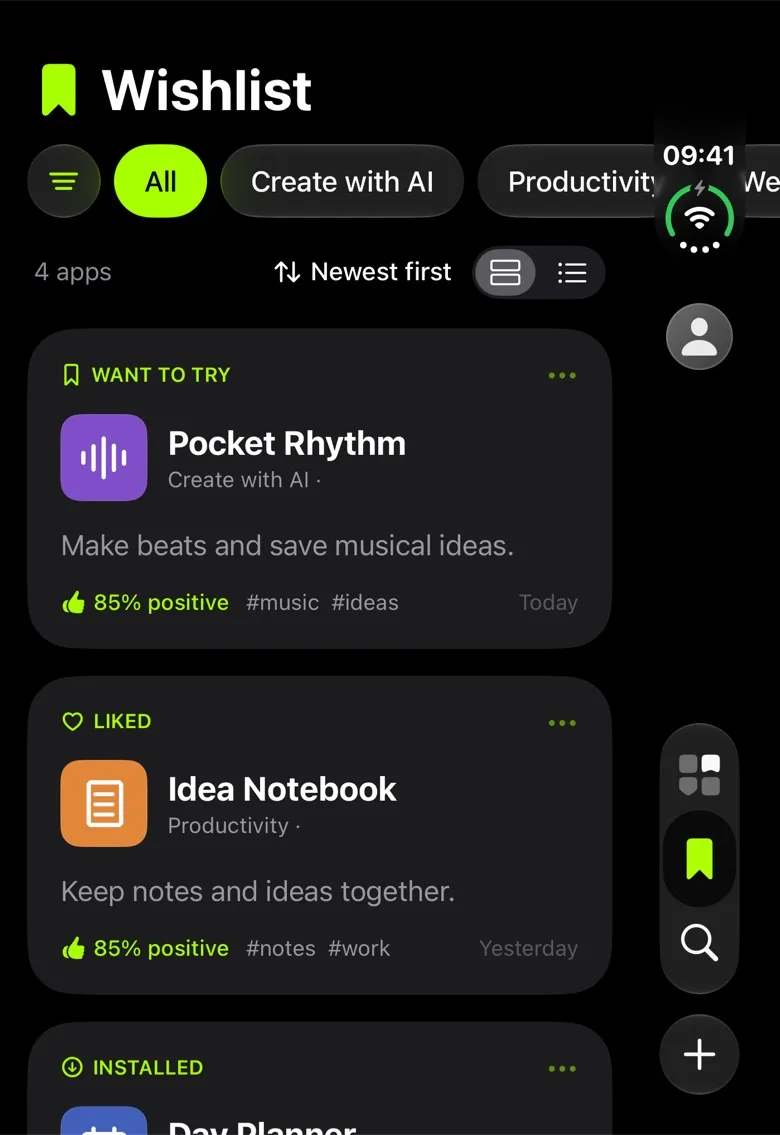
iPhone Your list, as cards or as a compact list.
The Wishlist on the outer display of a closed iPhone Duo: the cards for Pocket Rhythm and Idea Notebook, with the app's bars standing on the right side.
iPhone Duo, closed The list fits the outer display.
An open iPhone Duo: the Wishlist on the left half, with an Updated badge on Day Planner, and Pocket Rhythm's page on the right half.
iPhone Duo, open The list sits beside the app's detail.
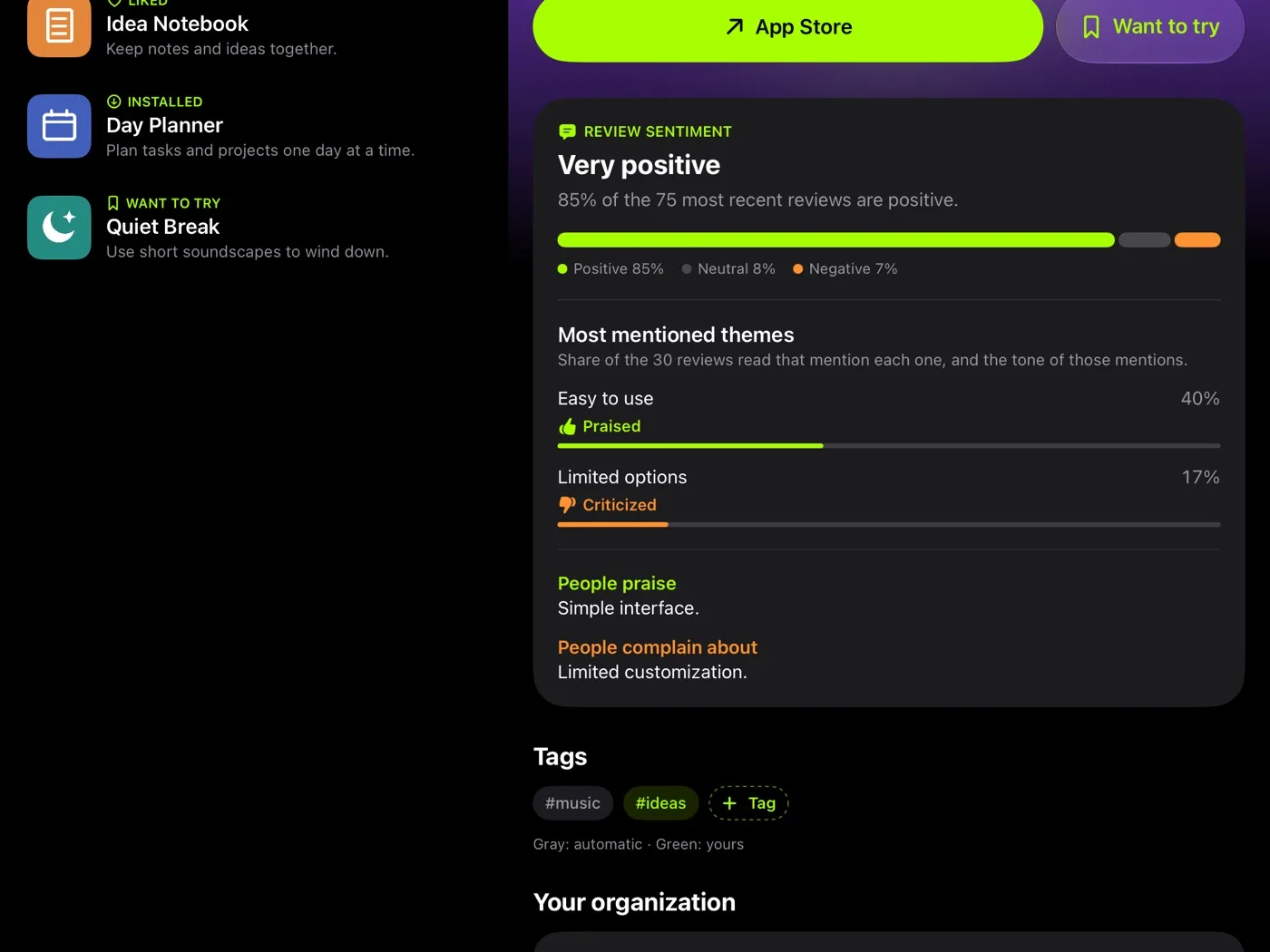
AppList on iPad: saved apps listed on the left, Day Planner and Quiet Break among them, and on the right the selected app's review sentiment, Very positive, with its themes and tags.
iPad List and detail side by side here too, with more room.

The iPhone Duo and iPad screens show sample data.

Three quick answers.

Can I save an app without installing it?

Yes. AppList saves the app's App Store entry, not the app itself. Share its App Store page to AppList, paste its link or search for it by name.

What if I don't have Apple Intelligence?

You can still save, organize and find apps. Summaries and review insights need Apple Intelligence available and turned on. Without it, the App Store description stands in for the summary.

Do I need iCloud?

No. The list lives on your device, and AppList works without iCloud sync. When iCloud is available, sync is on by default and uses the iCloud account already on the device. You can turn it off in Profile. There is no AppList account and no sign-in.

Found an app? Save it.

Join the beta

Beta on TestFlight, for iPhone, iPhone Duo and iPad.